Working with Prospects
Tabs, filters, selecting across pages, revealing contacts, exporting and finding decision makers.
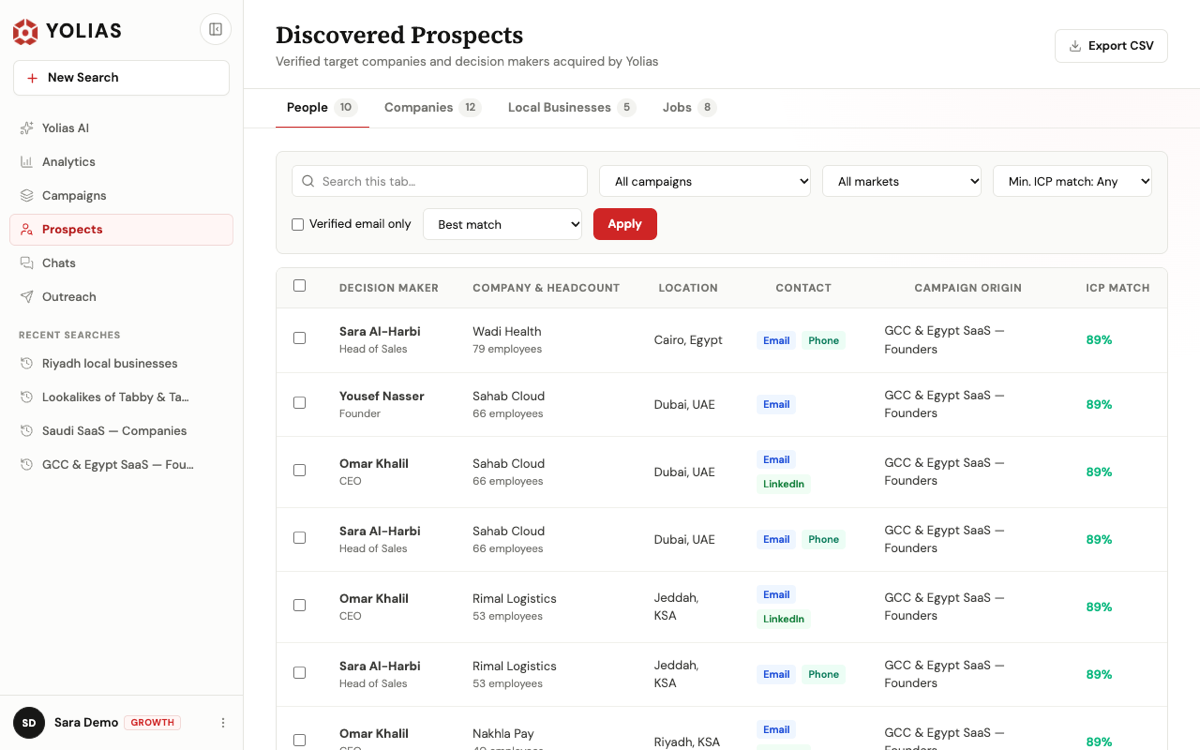
- Tabs: People, Companies, Local Businesses.
- Tick rows, or tick the header and then “Select all matching” to act on every page.
- Export CSV.
Reveal contact details
Emails and phones show masked (for example s•••@company.com) until you click Reveal — on one person or for a selection. Revealing doesn't use extra prospects: the person was counted when Yolias delivered them.
Find decision makers at a company
On the Companies or Local Businesses tab, select companies and choose Find decision makers. They come with the company at no extra prospects and are saved straight to People.
Export
Export CSV downloads the tab as filtered; Export selected downloads only the rows you picked. Exported contacts count as revealed.
Still need help?Contact us