Get started
A tour of Yolias
Real screens of Yolias, step by step: a search, its results, Prospects, a person, campaigns, Yolias AI and outreach.
These are real screenshots of Yolias with example data. The numbers on each picture match the list under it.
1. Describe who you want to sell to
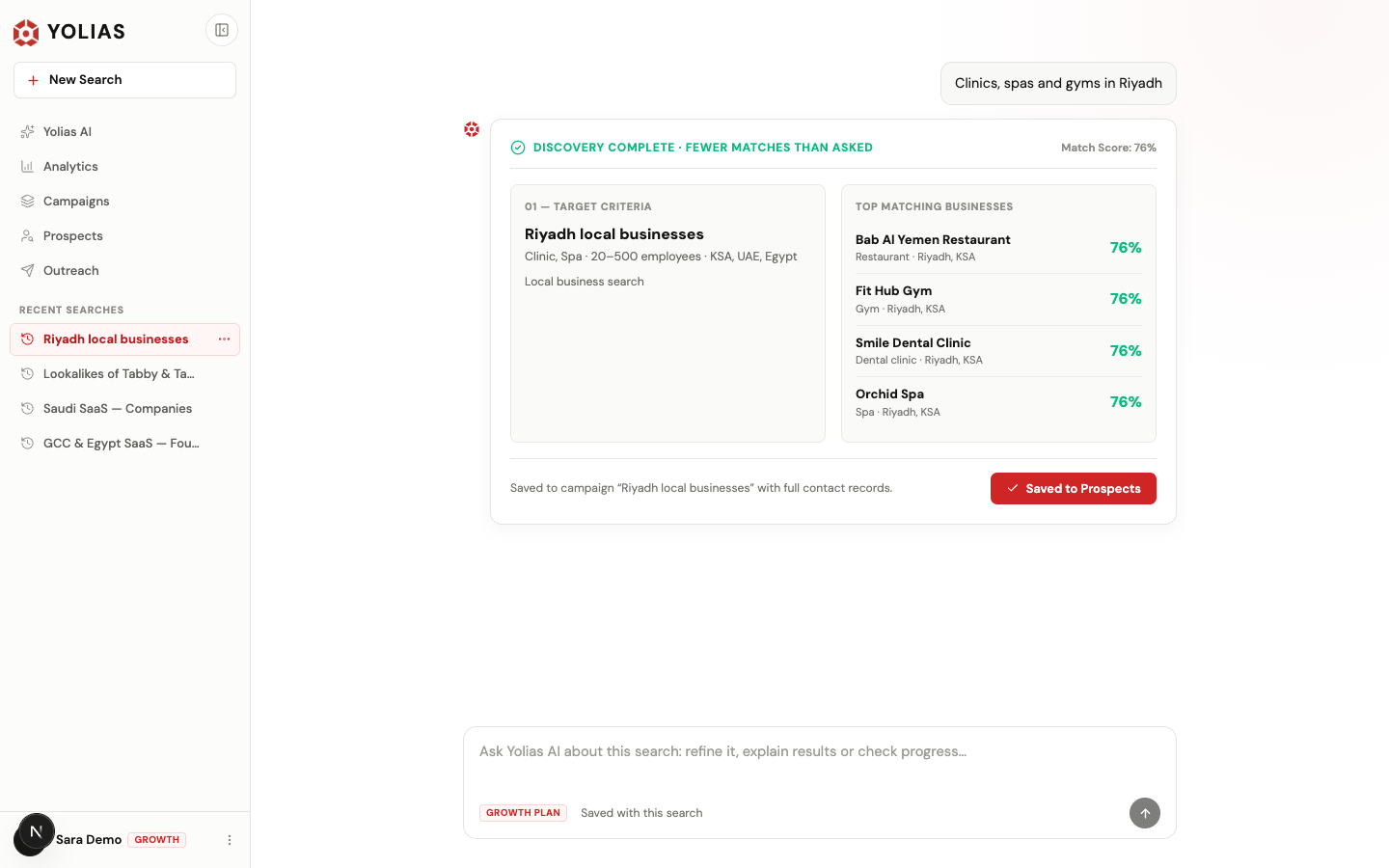
- Your request, in your own words (Arabic or English).
- The search's status and the best match score.
- Who Yolias understood you want.
- The best matches. Contact details stay masked until you reveal them.
- Save the results to Prospects.
- Ask Yolias AI about this search, right here in the same conversation.
2. Work your results in Prospects
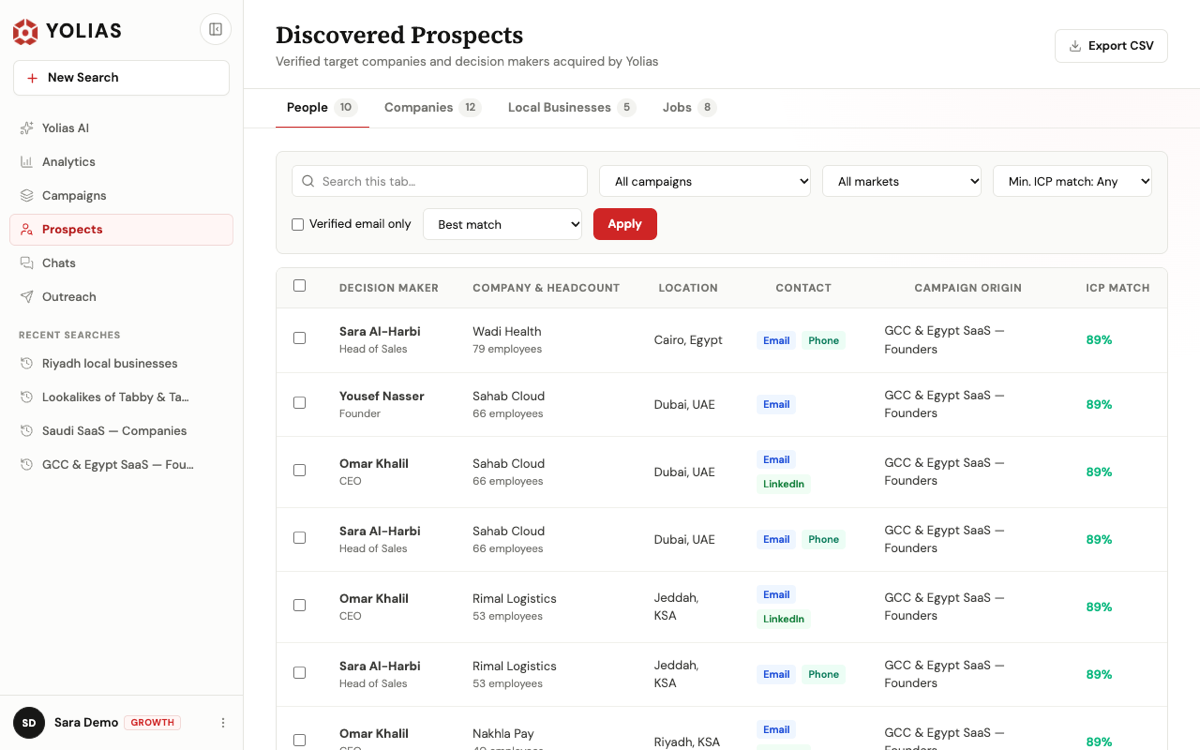
- People, Companies and Local Businesses, with counts.
- Search, filter by campaign, market and match, and sort.
- Select rows — or every matching row across pages — to export, reveal contacts or prepare emails.
- Email, phone and LinkedIn when they were found.
- Export the tab as CSV, exactly as filtered.
3. Open a person
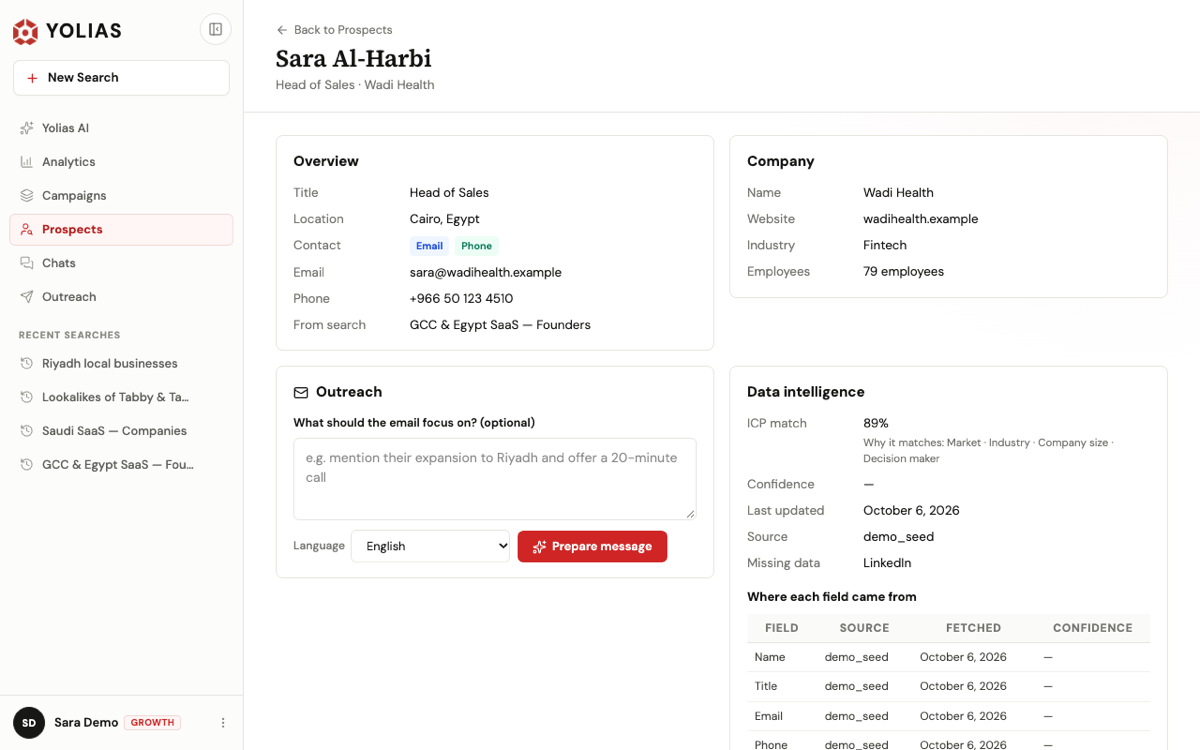
4. Keep a campaign running
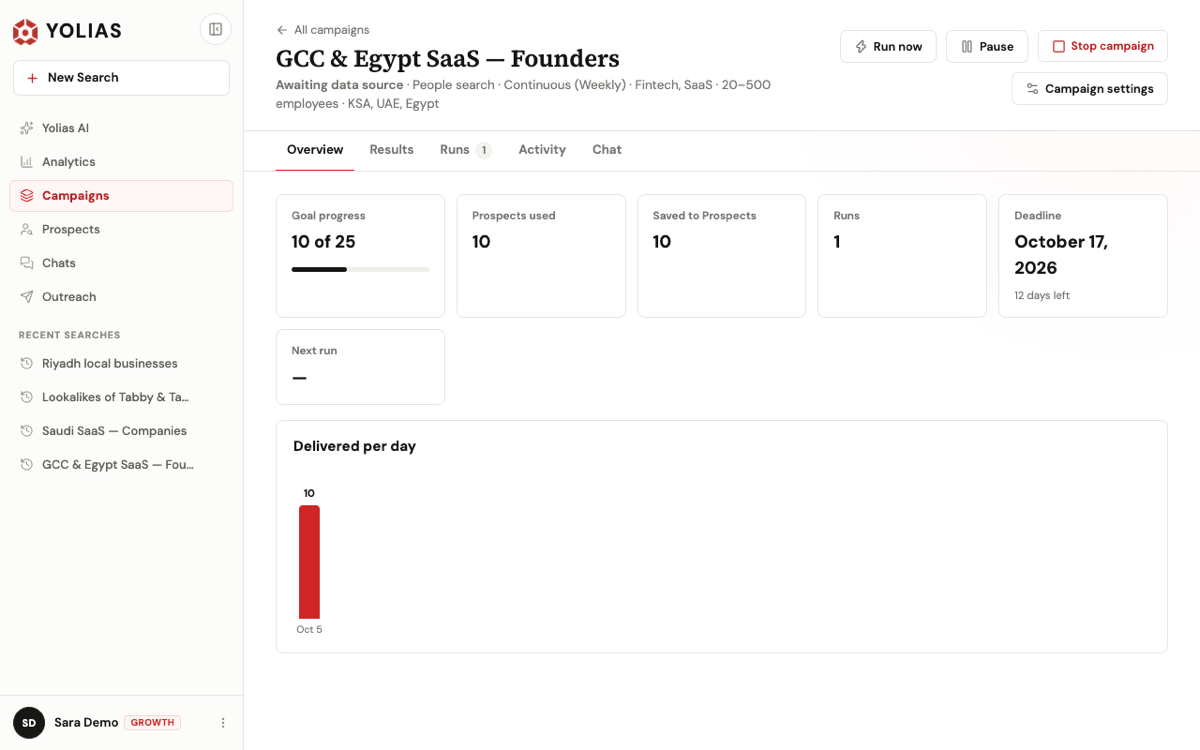
- Run now, pause, stop, or change the goal, deadline and schedule.
- Overview, results, runs, activity and the campaign's chat.
- Progress toward the goal and the prospects used.
- The deadline and the days left.
- What each day delivered.
5. Ask Yolias AI
Every search is a conversation with Yolias AI. Ask it to refine the search, explain a result, check progress, find decision makers or write a message — the reply appears in the same thread, with what Yolias is doing while it works. Your conversations are your Recent searches in the sidebar.
6. Reach out from your own email or LinkedIn
Select people in the results or in Prospects, then choose Email, LinkedIn or Export CSV. Yolias writes a personal message for each person; you edit it and open it in Gmail, Outlook or your email app, or copy it and open their LinkedIn profile. Yolias never sends anything — you send it from your own account.